Hey friends! 👋 I’m Vikas Sankhla, a Full Stack Developer and founder of the Web Codder YouTube channel. Today, we’re diving into something super cool and powerful: Asynchronous JavaScript.
Sounds like a big word? Don’t worry! I’ll explain it like you’re my younger cousin learning coding for the first time. Let’s go step-by-step. 🛠️
🧩 What Is Asynchronous Programming?
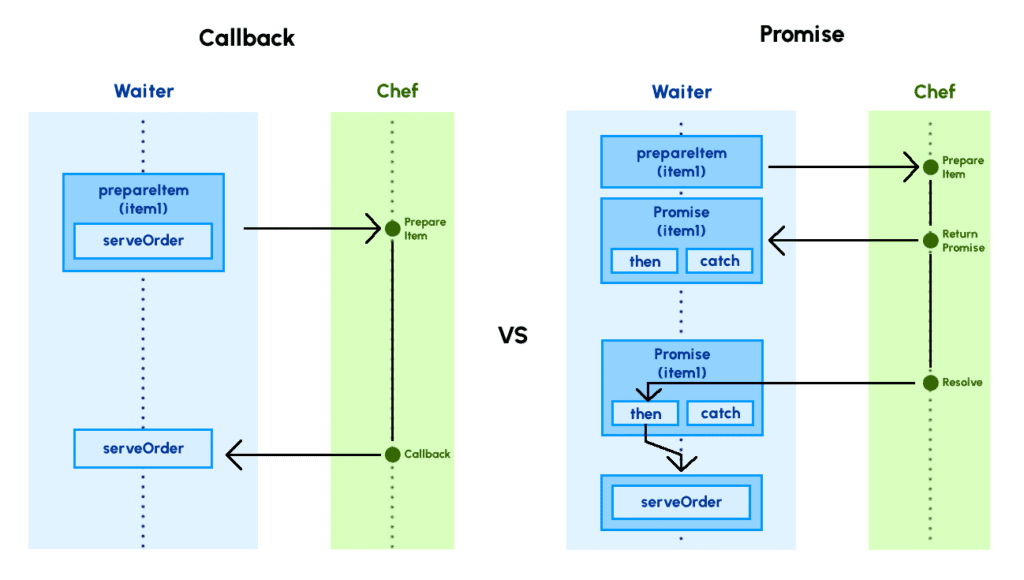
Imagine you’re making noodles 🍜. While you’re waiting for the water to boil, you don’t just stand there, right? You might chop veggies or set the table.
That’s asynchronous in real life: doing other things while waiting!
In JavaScript, some tasks (like fetching data from the internet 🌐) take time. Instead of stopping everything and waiting, JavaScript keeps doing other stuff.
This keeps your app fast and smooth.
🤔 Why Is This Important?
If JavaScript was synchronous (meaning: one thing at a time), your app could freeze while waiting.
Imagine clicking a button and the whole page locks up for 5 seconds. 😵 Not fun, right?
Async helps to:
- 🚀 Speed up your app
- 😎 Keep it responsive
- ⚙️ Handle real-world stuff like:
- Loading data
- Waiting for user actions
- Animations & more
⏲️ Using setTimeout and setInterval
Let’s meet two superstars of async JavaScript:
1️⃣ setTimeout
This runs once after a delay.
Example:
jsCopyEditconsole.log("Hello!");

setTimeout(() => {
    console.log("This shows after 2 seconds ⏳");
}, 2000);

console.log("Bye!");
What happens?
- Prints:
Hello! - Then:
Bye! - After 2 seconds:
This shows after 2 seconds ⏳
JavaScript doesn’t wait for setTimeout. It keeps going!
2️⃣ setInterval
This runs again and again (like an alarm ⏰).
Example:
jsCopyEditsetInterval(() => {
    console.log("This prints every 1 second ⏱️");
}, 1000);
This keeps running until you stop it.
🔄 Introduction to Callbacks
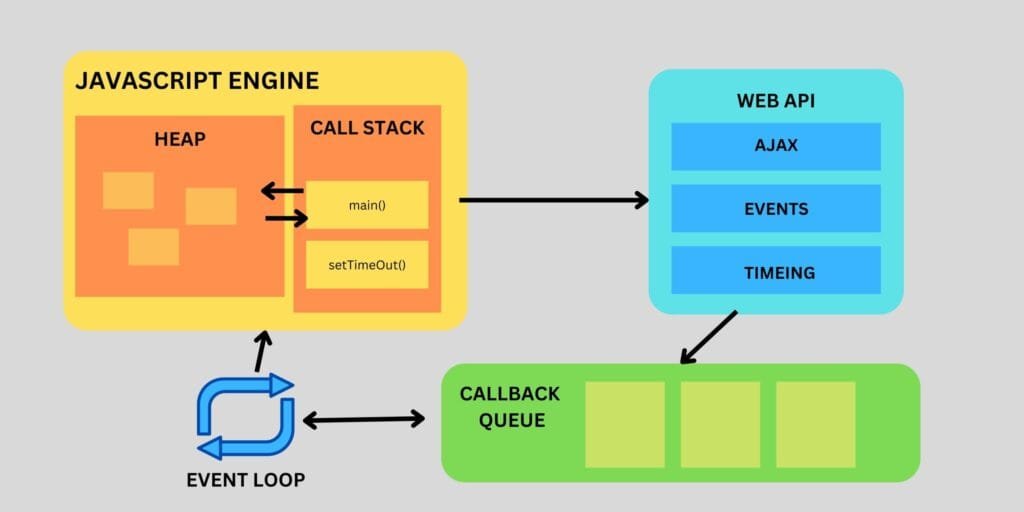
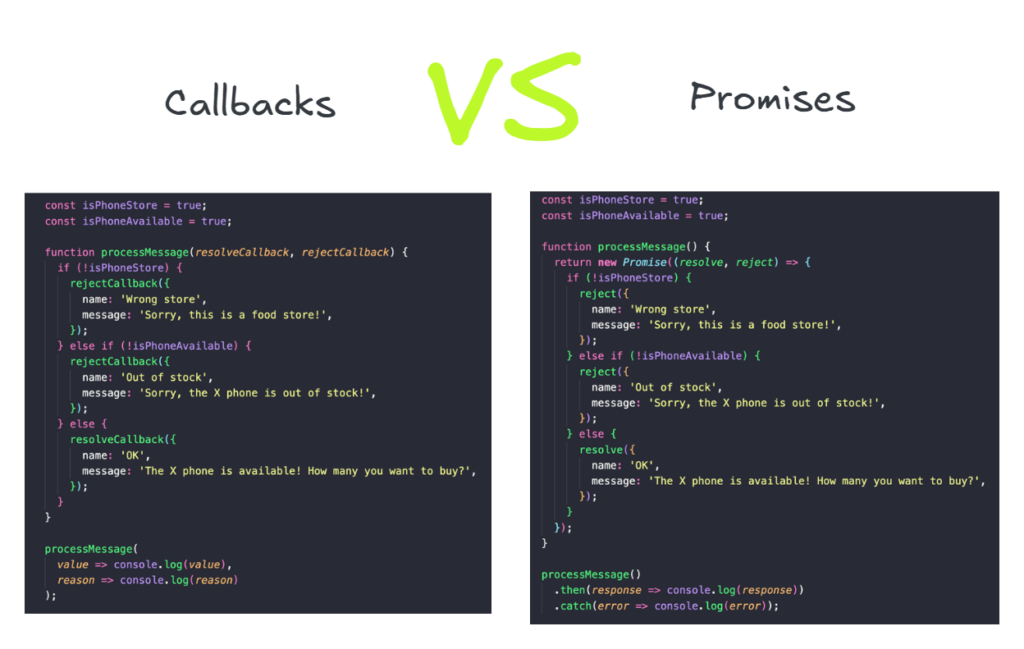
Callbacks are just functions inside functions.
Example: You tell your friend, “Call me 📞 when dinner is ready.”
The phone call is the callback.
In JavaScript:
jsCopyEditfunction greet(name, callback) {
    console.log("Hi " + name + "!");
    callback();
}

function sayBye() {
    console.log("Bye 👋");
}

greet("Alex", sayBye);
Output:
nginxCopyEditHi Alex!
Bye 👋
Simple, right? ✅
😵 What Is Callback Hell?
Things get messy when you have many callbacks inside each other. It looks like this:
jsCopyEditdoSomething(function(result) {
    doSomethingElse(result, function(newResult) {
        yetAnotherThing(newResult, function(finalResult) {
            console.log(finalResult);
        });
    });
});
This is hard to read and fix 😫. People call it “Callback Hell.”
✨ How Promises Help
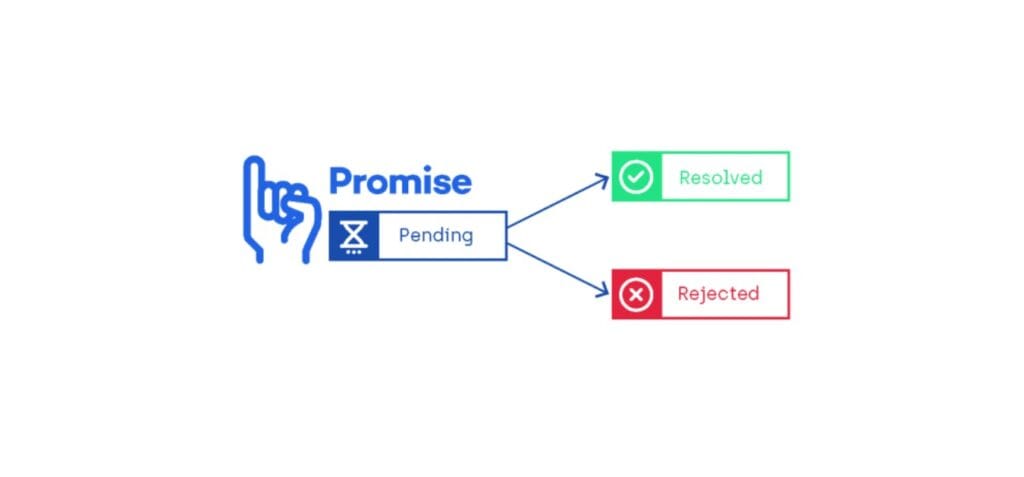
Promises are like saying:
“Hey, I PROMISE I’ll do this task. Either I succeed (✅) or fail (❌).”
Example:
jsCopyEditlet myPromise = new Promise((resolve, reject) => {
    let success = true;

    if (success) {
        resolve("It worked! 🎉");
    } else {
        reject("Oops, failed 😢");
    }
});

myPromise.then((message) => {
    console.log(message);
}).catch((error) => {
    console.log(error);
});
✅ Using async and await (So Clean!)
async and await make async code look nice and clean, like normal code.
Example:
jsCopyEditasync function fetchData() {
    console.log("Fetching data...");

    let result = await new Promise((resolve) => {
        setTimeout(() => resolve("Data is here! 📦"), 2000);
    });

    console.log(result);
}

fetchData();
Output:
Fetching data...- (waits 2 seconds ⏳)
Data is here! 📦
So simple to read! 😍
🧠 Key Concepts Recap
| Concept | What It Does | Example |
|---|---|---|
setTimeout | Runs once after a delay | Show alert after 3 seconds |
setInterval | Runs again and again at set intervals | Update clock every 1 second |
| Callback | A function passed to another function | Call when button is clicked |
| Promise | A task that will finish later (success/fail) | Get data from an API |
| Async/Await | Cleaner way to write async code | Fetch user info from the server |
🎯 Conclusion
Async JavaScript is like juggling tasks 🎪 – super useful when things take time. You’ve learned:
- Why async matters
- How to use
setTimeoutandsetInterval - What callbacks are (and why callback hell is bad)
- How Promises and
async/awaitsave the day 🚀
Want to keep leveling up your coding skills? 🔥
👉 Subscribe to my YouTube for awesome tutorials: https://www.youtube.com/@web_codder/?sub_confirmation=1
👉 Check out automation tips: https://webcodder.dev/category/automation/
👉 Join our WhatsApp community: https://webcodder.dev/whatsapp
Let’s keep building amazing things together! 💪💻✨